See the workout plan BodyPlan would build for you.
Answer five quick questions and BodyPlan's planner, the same one that runs inside the app, builds your training week. You'll see your first session in full: every exercise, sets, reps, starting weight and rest.
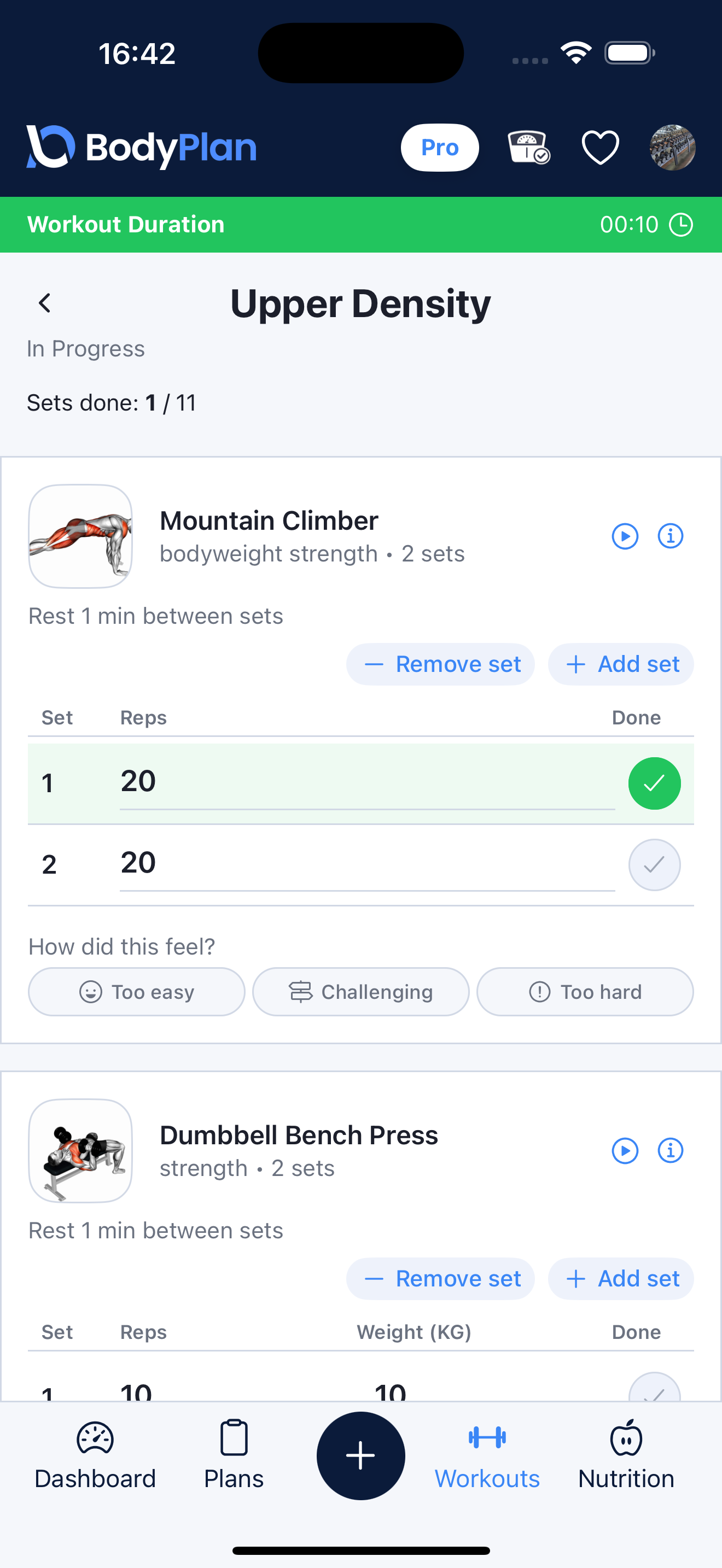
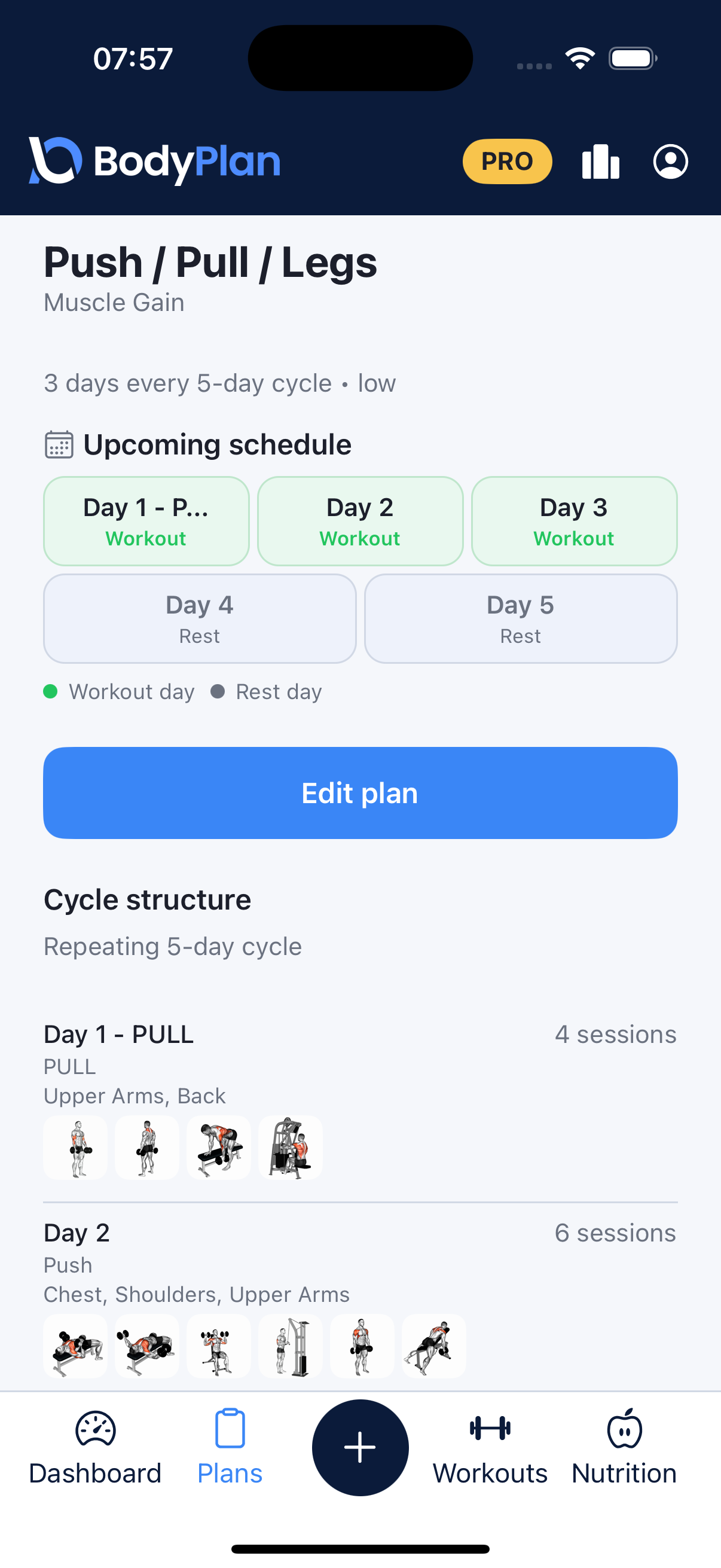
Your full plan is ready
Open it in BodyPlan to see every exercise, follow each workout with guided sets and rest timers, track your weights, and let your plan adapt as you train.
In BodyPlan, tap Create my free plan, then Have a plan code? Your week is built there from these answers. The code works for 7 days.
- Unlock the rest of your training week
- Guided sessions with rest timers and form videos
- Log every set and weight in seconds
- Suggested loads that adapt as you get stronger
Free to download. No account needed to start.
The app builds these sessions from the same answers.
Follow your plan in BodyPlan
Download BodyPlan free to open every session, log your sets and weights, and see your training adapt as you get stronger.
Free to download. No account needed to start.
How this is calculated · sources
Your plan is produced by BodyPlan's production planning engine, the same code that builds plans inside the app. It selects a weekly structure from your available days and goal, picks exercises from BodyPlan's catalog that match your equipment, checks muscle coverage across the week, and sets sets, reps, rest and starting loads. Starting weights are deliberately conservative estimates.
- Training frequency and muscle hypertrophy: a meta-analysis Schoenfeld, Ogborn & Krieger (2016). Training a muscle group about twice per week produced greater hypertrophy than once per week when volume was matched, the basis for how BodyPlan distributes training across a week.
- Resistance training volume and muscle hypertrophy: a meta-analysis Schoenfeld, Ogborn & Krieger (2017). Weekly set volume shows a dose-response relationship with hypertrophy. Sets performed close to failure, not total tonnage, are the volume measure most closely associated with the outcome.
- Maximal repetitions at percentages of the one-repetition maximum Nuzzo, Pinto, Nosaka & Steele (2023), Sports Medicine. A meta-regression of ~7,000 people across 269 studies. Repetitions fall as %1RM rises, but the spread between individuals widens at lighter loads (about ±2.5 reps at 80% 1RM versus ±4.4 at 60%), and differs between exercises, so treat the rep ranges beside each percentage as typical, not exact.
- WHO guidelines on physical activity and sedentary behaviour Recommends muscle-strengthening activity on two or more days per week for adults, alongside aerobic activity.
- Updating ACSM's recommendations for exercise preparticipation health screening Riebe et al. (2015), Medicine & Science in Sports & Exercise. Guidance on when medical clearance is advisable before starting or progressing an exercise programme, based on current activity level, known cardiovascular, metabolic or renal disease, and symptoms.
What this workout plan generator actually does
This isn't a template picker. When you press Build my plan, BodyPlan runs the same planning engine that builds plans inside the app: it chooses a training split that suits your available days, assigns each session a focus, selects exercises from BodyPlan's catalog that match your equipment, and sets the sets, reps, rest and starting loads for each one.
Because it's the real planner, the plan you see here is the plan you'd get in the app, not a simplified web version built to look impressive.
What changes your plan
Training days
The number of days you can train is the single biggest factor. Two or three sessions a week are best spent on full-body work, so every muscle group gets trained two to three times. At four or five, splitting into upper and lower days lets you do more work per muscle group without losing frequency. At six, there's room for push/pull/legs or dedicated muscle-group days.
Equipment
Equipment determines which exercises are available, and that changes the structure of the session, not just the exercise names. A bodyweight plan leans on different movement patterns and rep ranges than a barbell plan, because loading progresses differently.
Experience
Experience affects starting volume, exercise complexity and load. Someone new to structured training gets fewer working sets and simpler movement patterns, so the first few weeks are repeatable rather than punishing.
Session length
How long you have sets how much work fits into each session. Shorter sessions carry fewer working sets, with the volume prioritised toward the exercises that matter most for your goal.
How personalised workout planning works
A good plan balances three things that pull against each other: training each muscle group often enough to drive adaptation, doing enough total work to justify the session, and leaving enough recovery between hard sessions to actually absorb the training. BodyPlan resolves that trade-off from your inputs rather than assigning you a fixed template, which is why a four-day muscle-gain plan and a four-day endurance plan look genuinely different, not just relabelled.
What happens after your plan is built
A plan is a starting point, not a fixed prescription. In the BodyPlan app, your logged sets feed back into your training: suggested weights and reps update each session based on what you actually lifted, so the plan keeps pace with you. Bigger changes, such as swapping exercises, changing your split or moving sessions, stay in your control and are always visible, never applied silently.
You can also read more about how BodyPlan's workout planner works, or try the workout split builder to compare weekly structures first.
Frequently asked questions
Do I need an account to generate a plan?
No. There's no sign-up, no email and no login. Answer the questions and your plan is generated straight away.
Is this the same planner the BodyPlan app uses?
Yes. The website calls BodyPlan's production planning engine directly, so the structure, exercise selection and prescription you see here are what the app would build for the same answers.
How do I open my plan in the app?
Your results show a plan code. In BodyPlan, tap Create my free plan, then Have a plan code?, and the app builds your week from the same answers. A code works for 7 days and holds only your answers to these questions, never your name or email.
Why can I only see the first workout?
Your whole week is generated, you can see how many exercises each session has, how long it runs and what it targets. The full exercise detail for the remaining sessions lives in the BodyPlan app, where you can follow each workout, log your sets and let the plan adapt as you train.
Will the plan work if I don't have gym equipment?
Yes. Choose dumbbells only or no equipment and the planner builds the week from exercises you can actually do, adjusting the session structure to match.
How many weeks does the plan cover?
This preview shows one training week. In the app your plan runs as an ongoing programme, with suggested weights and reps updating each session based on what you've logged.
Training plans generated here are a starting point, not medical advice. If you have an injury or a health condition that affects exercise, check with a qualified professional before starting a new programme.